Parenting time
Parenting time you can both see
Set up your regular pattern once and see it for months ahead. Handover times sit on the calendar, and nothing changes until you both agree.
One subscription covers everyone.
Patterns
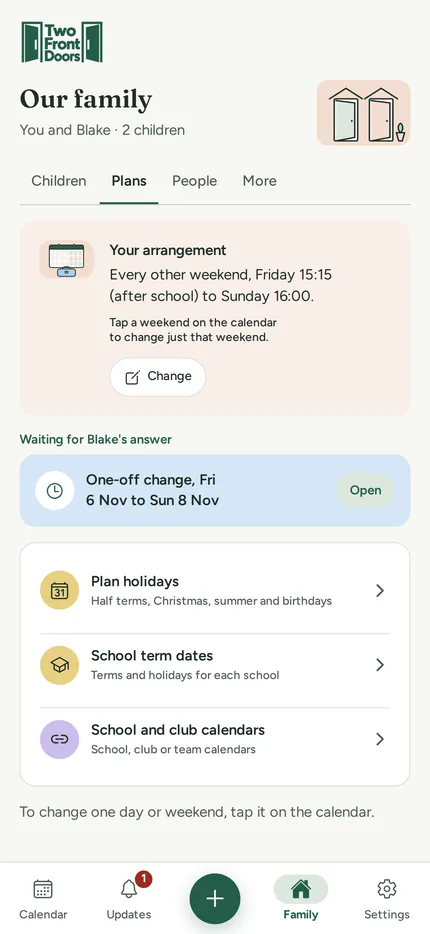
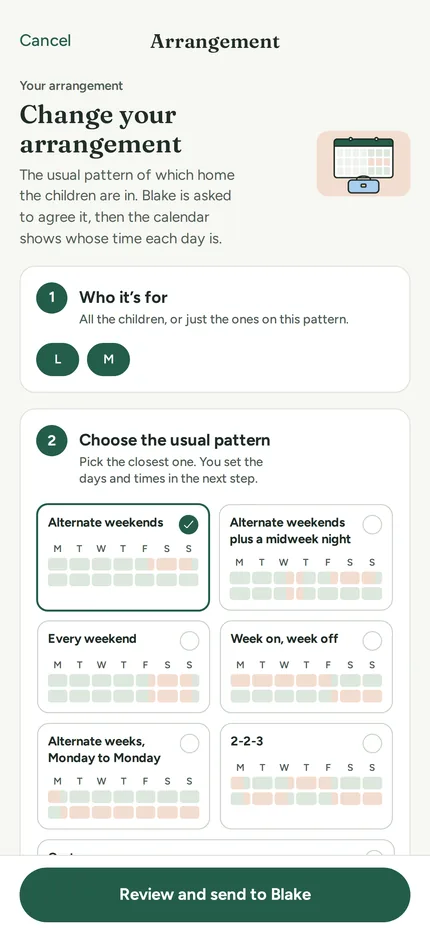
Start from the pattern you already use
Every other weekend, week on week off, 2-2-3, or a cycle of your own. Pick a start date and the app fills in the months ahead, so you can both see where the children are on any day.
Want to know what your pattern adds up to over a year? The free parenting time calculator counts the nights in each home.
- Common patterns ready to pick
- Custom cycles for everything else
- Preview before you save
Handovers
Handovers with times
Each handover shows when and where it happens, and the day splits at that time. Nobody has to ask who is doing pickup.
Next handovers
Holidays and swaps
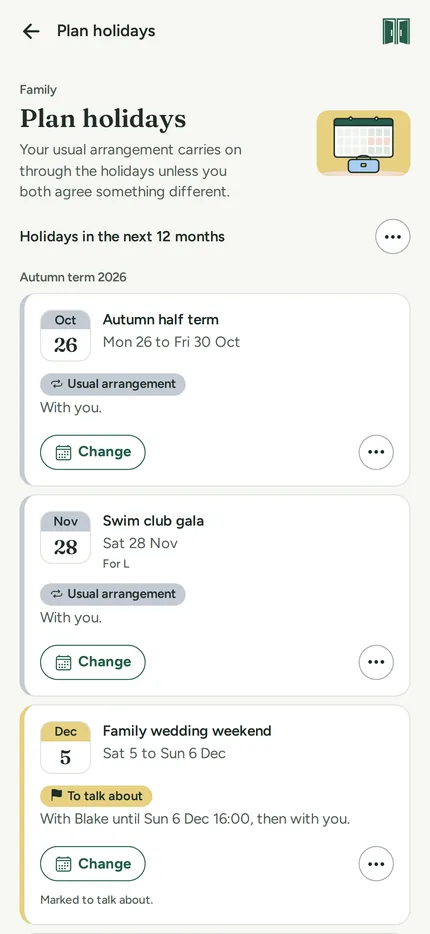
School holidays and swaps sit on top
Add Christmas, the summer or a one-off swap without touching your regular pattern. When the holiday ends, the usual routine picks up again.
Approvals
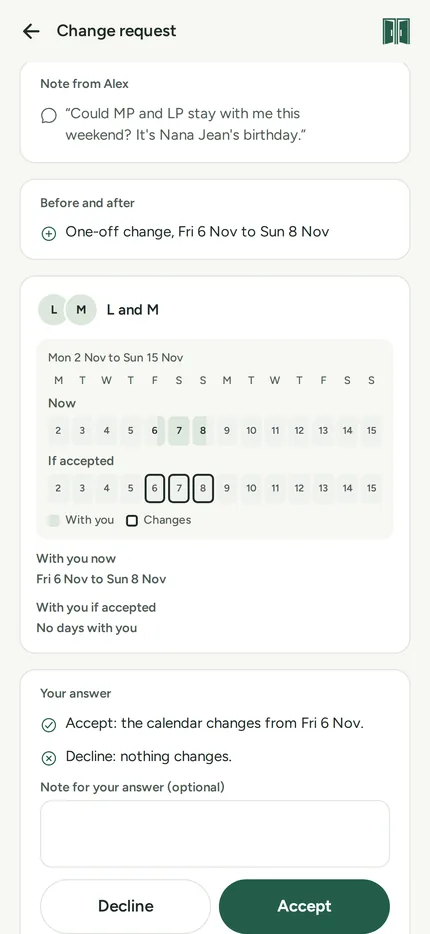
Nothing changes until the other parent agrees
Changes to parenting time are requests. The calendar updates only when the other parent accepts. Silence never counts as a yes, and nobody can approve their own request.
Can I set it up before the other parent joins?
Yes. You can put in your arrangement on your own. It’s marked Not agreed yet until the other parent joins and confirms it or suggests changes.
What if our arrangement doesn’t fit a standard pattern?
Choose a custom cycle and set which days are with each parent. Holidays and one-off changes go on top.
Does the app decide or enforce our arrangement?
No. It’s a shared calendar. It shows what you have both agreed. It doesn’t make or enforce decisions.
What happens if the other parent doesn’t reply to a change?
Nothing changes. The request stays open until they accept or decline it, or you withdraw it.
Try it free for 14 days
Set up your schedule tonight and invite the other parent when you’re ready. One subscription covers everyone on your family calendar.


One account on the web, iPhone and Android. Use whichever suits you, or all three.

More features