Helpers
Room for grandparents and nannies
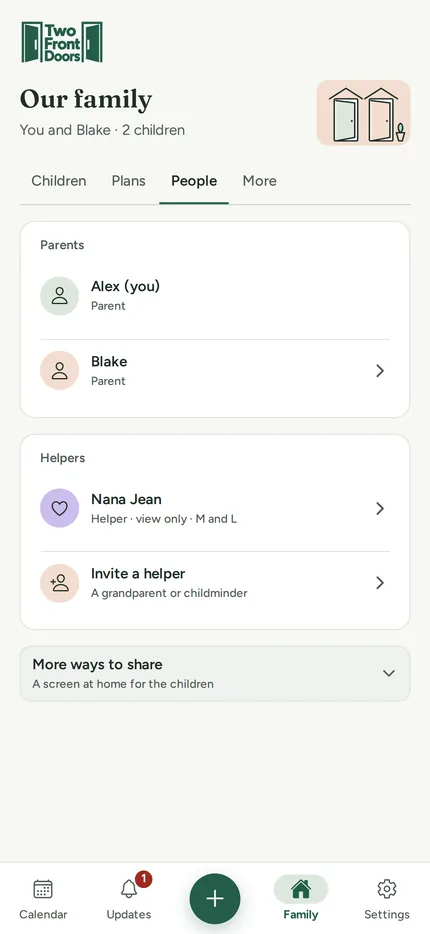
Invite the people who help out. They see the family calendar for the children you choose. Never your Only me events, your Google calendar or swap requests.
One subscription covers everyone.
Roles
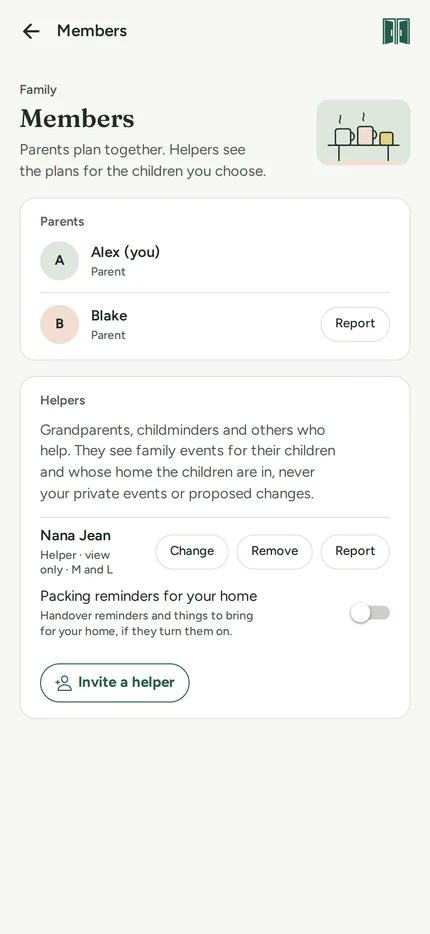
Choose what each helper can do
A helper who is view only can see the shared calendar. One who can add and edit can also change shared events. You can limit a helper to particular children.
Boundaries
Some things stay between parents
The app never shows helpers private events, Google events or swap requests. They can’t invite anyone or change who is in the family.
Nana Jean sees
- Shared events for MP and LP
- Parenting time, as colours
Never sees
- Only me events
- Google events
- Swap requests

Do helpers need to pay?
No. Helpers join your family calendar at no cost.
Can I remove a helper?
Yes, at any time. It takes effect straight away.
Can a helper see swap requests?
No. Requests about parenting time stay between the two parents.
Try it free for 14 days
Set up your schedule tonight and invite the other parent when you’re ready. One subscription covers everyone on your family calendar.


One account on the web, iPhone and Android. Use whichever suits you, or all three.

More features