Shared family plans
Family plans every home can see
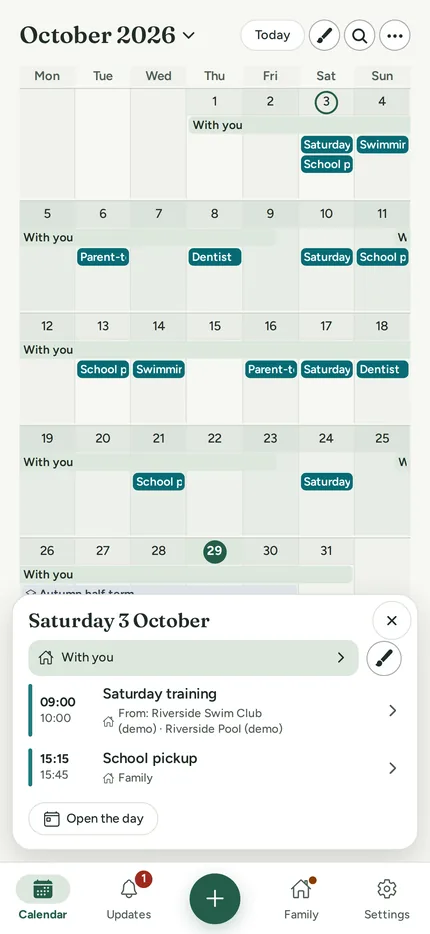
School plays, dentist appointments, swimming. Add it once and it shows up for both parents. Anything you mark Only me stays private to you.
One subscription covers everyone.
Who can see this
Who sees what
Choose who sees each event
Every event is either for the family or only for you. Family events show up for both parents. Only me events stay private, including in search.
Updates
Both of you stay up to date
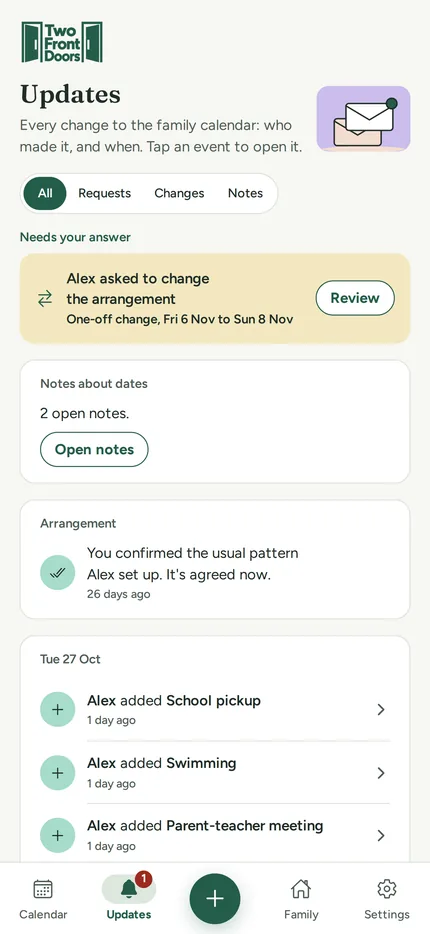
When a family plan changes, the other parent is told exactly what changed. Deleted something by mistake? Shared events can be restored for 30 days.
Can the other parent see my Only me events?
No. Only me events are stored separately and never shown to the other parent or to helpers.
Do everyday events need approval?
No. Only changes to parenting time need the other parent to agree. For everyday events, they’re told what changed.
What if something is deleted by mistake?
Shared events you deleted in the last 30 days are in Recently deleted, with a Restore button.
Try it free for 14 days
Set up your schedule tonight and invite the other parent when you’re ready. One subscription covers everyone on your family calendar.


One account on the web, iPhone and Android. Use whichever suits you, or all three.
More features