Changes and approvals
Swap a weekend without the back and forth
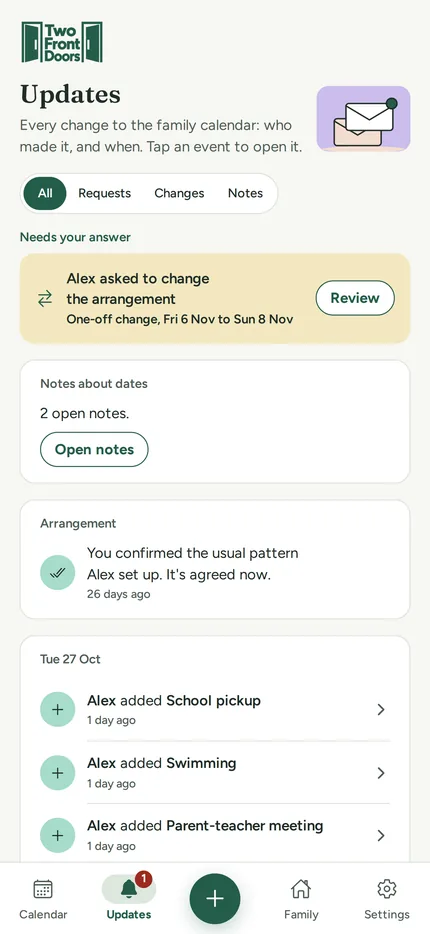
Propose a change and the other parent gets a clear request. The calendar only updates once they accept. Silence never counts as a yes.
One subscription covers everyone.
Requests
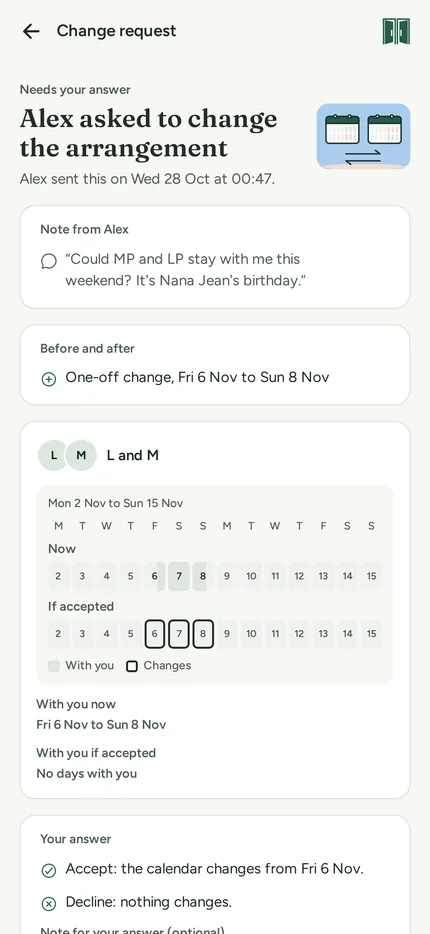
See exactly what would change
A request shows the calendar as it is now and as it would be, so there’s no room for misreading dates or times.
Answers
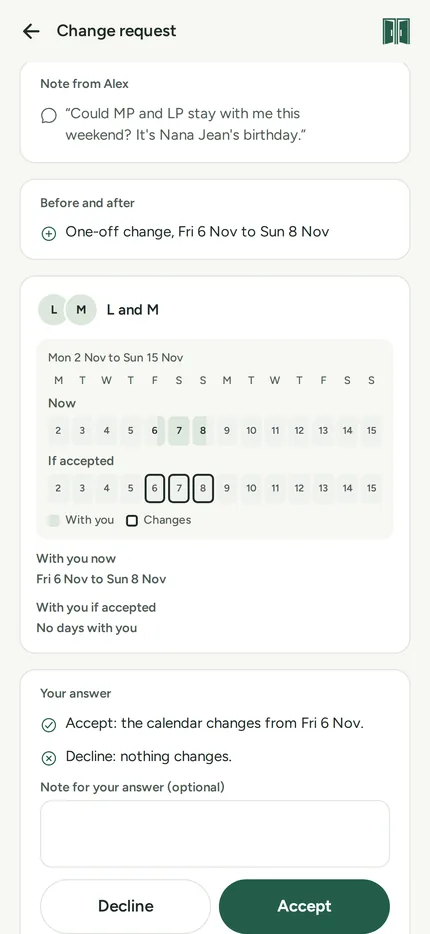
A clear yes, no or another time
The other parent can accept, decline or suggest another time. You can withdraw a request before they answer. If nobody answers, nothing changes.

Can I approve my own request?
No. A change to parenting time always needs the other parent to accept it.
What if the other parent never answers?
Nothing changes. Silence never counts as a yes. The request stays open until it’s answered or withdrawn.
Do all changes need approval?
No. Only parenting time changes do. Everyday events, like a dentist appointment, just notify the other parent.
Try it free for 14 days
Set up your schedule tonight and invite the other parent when you’re ready. One subscription covers everyone on your family calendar.


One account on the web, iPhone and Android. Use whichever suits you, or all three.

More features